How it works
An honest tour, in plain language
What’s on the sign, where it comes from, and — because this is the part that matters — exactly what happens when things break. No buzzwords; bring your IT person if you like, they’ll have fun.
The flow
What fills a sign
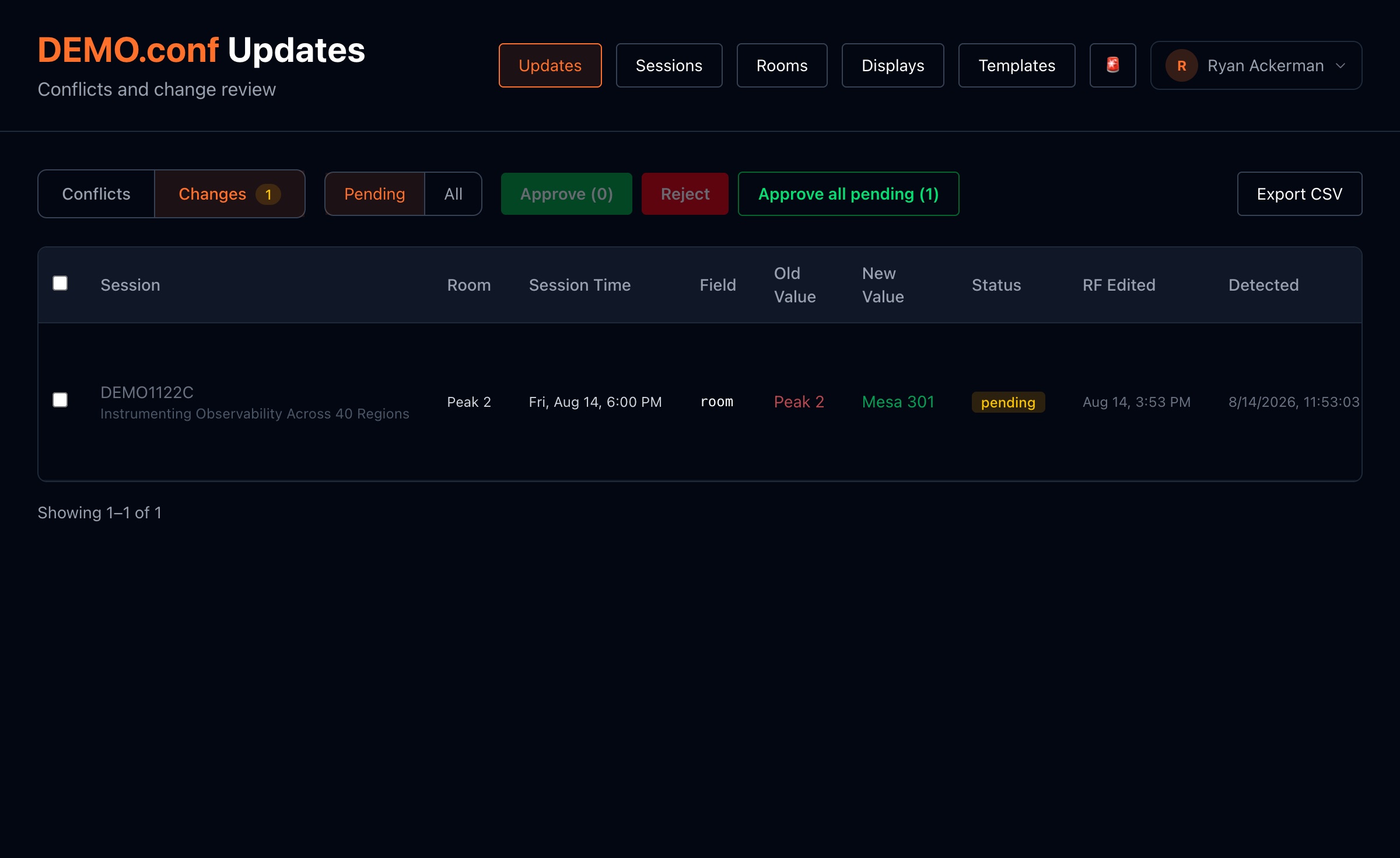
Your registration system already knows the agenda. We check it every five minutes — but nothing goes on a screen automatically. Every change lands in a review list first, where your show staff clicks approve or reject. The system flags room collisions and keeps a record of who approved what, when.
Each sign then keeps its own complete copy of the approved schedule — every session, every room, every day — right on the device at the door. The sign checks its own clock every few seconds and decides for itself what to show. It never needs to ask the network “what’s next?”
Registration system → human approval → every sign’s own copy → the screen.
Timing
One rule decides every changeover
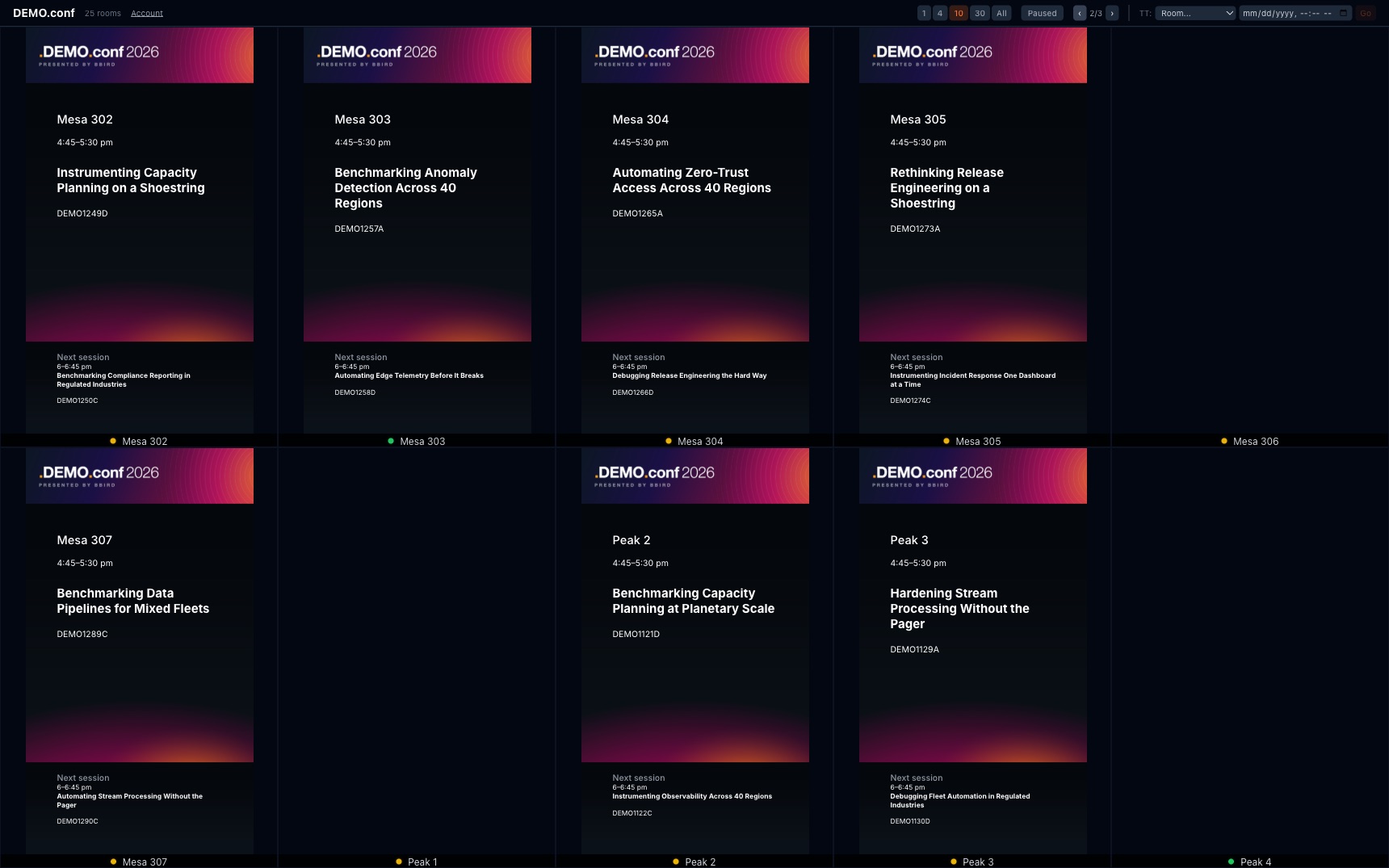
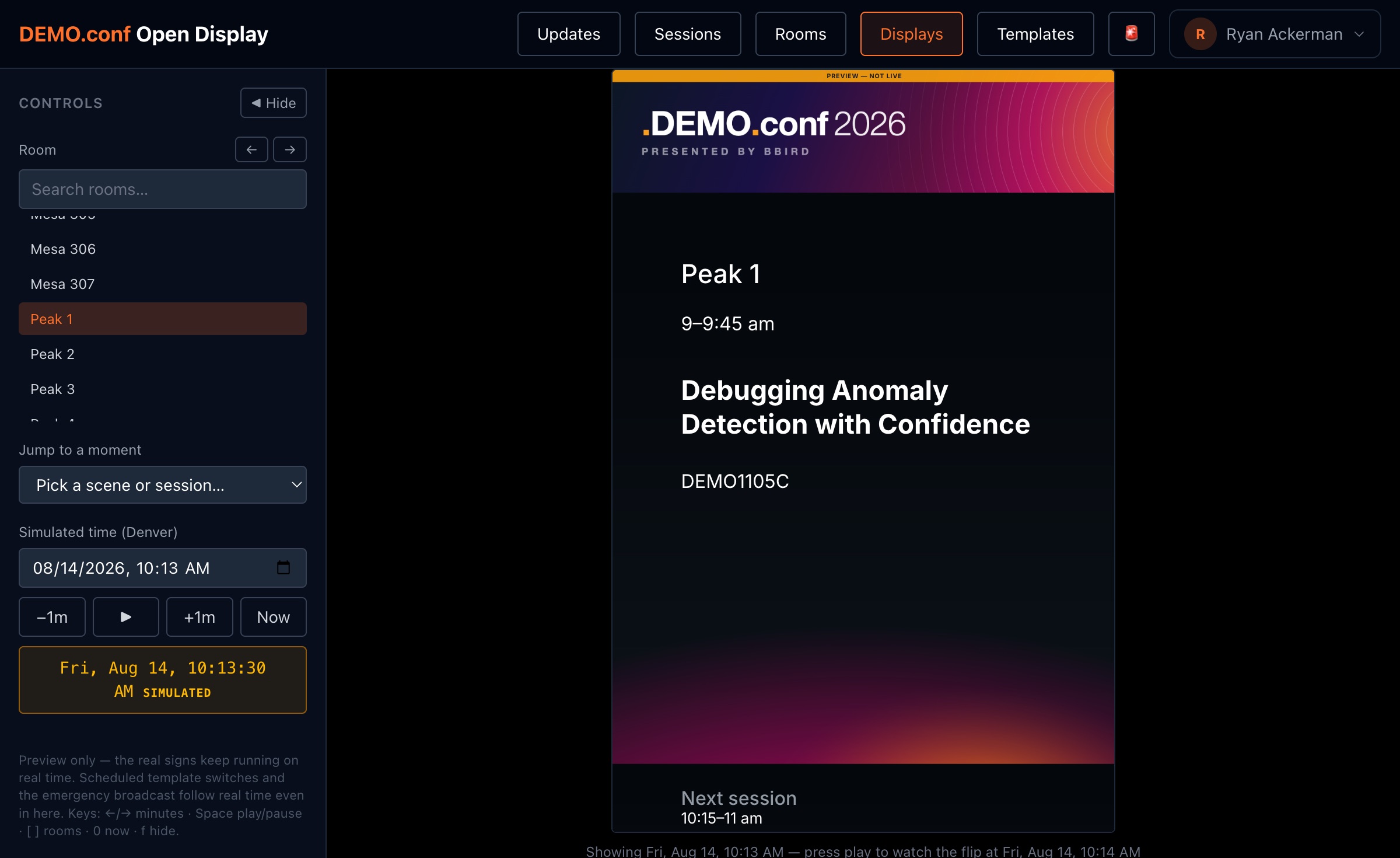
A sign flips to the next session when the current one ends — or just before the next one begins, whichever comes later. That one rule handles back-to-back sessions, long gaps, and everything in between. You choose how many minutes early the “next up” flip happens, and how long the last session of the day stays up before the good-night message.
Signs know what day it is, too: tomorrow morning’s session never leaks onto tonight’s screen, and the date rolls over at midnight by itself.
Updates
Changes arrive in about a second
Every sign keeps a live line open to the show server. The moment staff approves a change — a schedule edit, a room message, the emergency broadcast — the server pushes it out and every affected sign updates in roughly one second. There is no refresh cycle to wait out, ever.
Every update a sign receives also refreshes its local copy, so its fallback is always the newest schedule it has ever seen. And each sign checks in every fifteen seconds, so the ops console always shows which screens are healthy and how each one is connected.
Approve → on every screen in ~1 second.
Resilience
Built to work without the network
Layer 1
The schedule lives on the sign
The full approved agenda is stored on each device. If the network disappears, the sign keeps flipping sessions correctly from its own copy — through the day, across midnight, for the rest of the show if it has to.
Layer 2
The sign app lives on the sign
The software itself is stored on the device too. If the server is slow, down, or mid-update, the sign quietly uses its own copy instead of showing an error page. Blank screens and spinners never make it to a door.
Layer 3
No surprise login screens
A sign that suddenly can’t reach the server keeps showing the schedule — it never bounces to a login page in front of your attendees.
When the connection comes back, everything catches up on its own. Most shows never know an outage happened — because on the screens, nothing did.
The hard question
What if the server dies mid-show?
We’ll answer the question most vendors won’t print. If the show server goes down mid-conference, the signs on the doors don’t change at all: they keep flipping sessions on schedule from their own copy and quietly retry in the background. Attendees see nothing. What you lose while it’s down is the ability to make new changes — which is why the server is small, restarts in seconds, and its data is backed up somewhere else.
The honest edge case: a display that loses power during a server outage needs somewhere to boot back to. We engineered for exactly that — a set-up sign powers straight back into its stored schedule — because “power blip during an outage” is precisely the kind of double failure a show week eventually produces.
The design goal: no single failure — network, server, or power — puts a wrong or blank sign on a door.
The gear
Boring hardware, on purpose
Each display is an ordinary small computer that runs nothing but the sign — cheap to buy, easy to replace, set up for its room in minutes. They work on the venue’s network or a plain internet line, and we can reach them securely for support no matter how the venue wiring turns out. The server side is one small machine — ours or yours — with nothing exotic on it.
No per-screen software licenses. No cloud requirement. Nothing to special-order three weeks before doors.
Ask us the hard questions
Bring your IT lead and your worst outage story. We'd rather walk you through the failure modes on a live system than around them.
Book a technical walkthrough